Private Space
Members-only pages on real WordPress accounts, created from a spreadsheet.
- Version 1.3.0
- WordPress 6.0+
- PHP 7.4+
- Tested up to 7.1
- GPLv2 or later
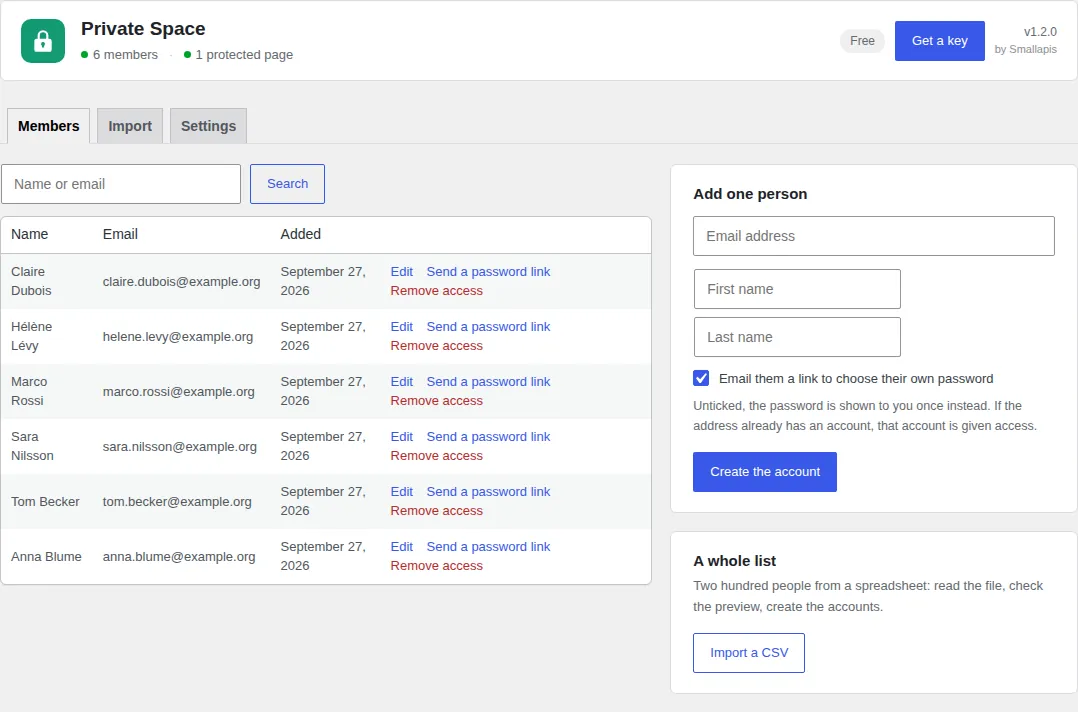
Try it here
One tick per page.
For a school, a club, an association or a company that needs a few pages only its people can read, and needs to create two hundred accounts from a spreadsheet without doing it by hand.
- Real WordPress accounts, no custom login
- Import 2,000 people from a CSV
- Search engines, feeds and REST covered
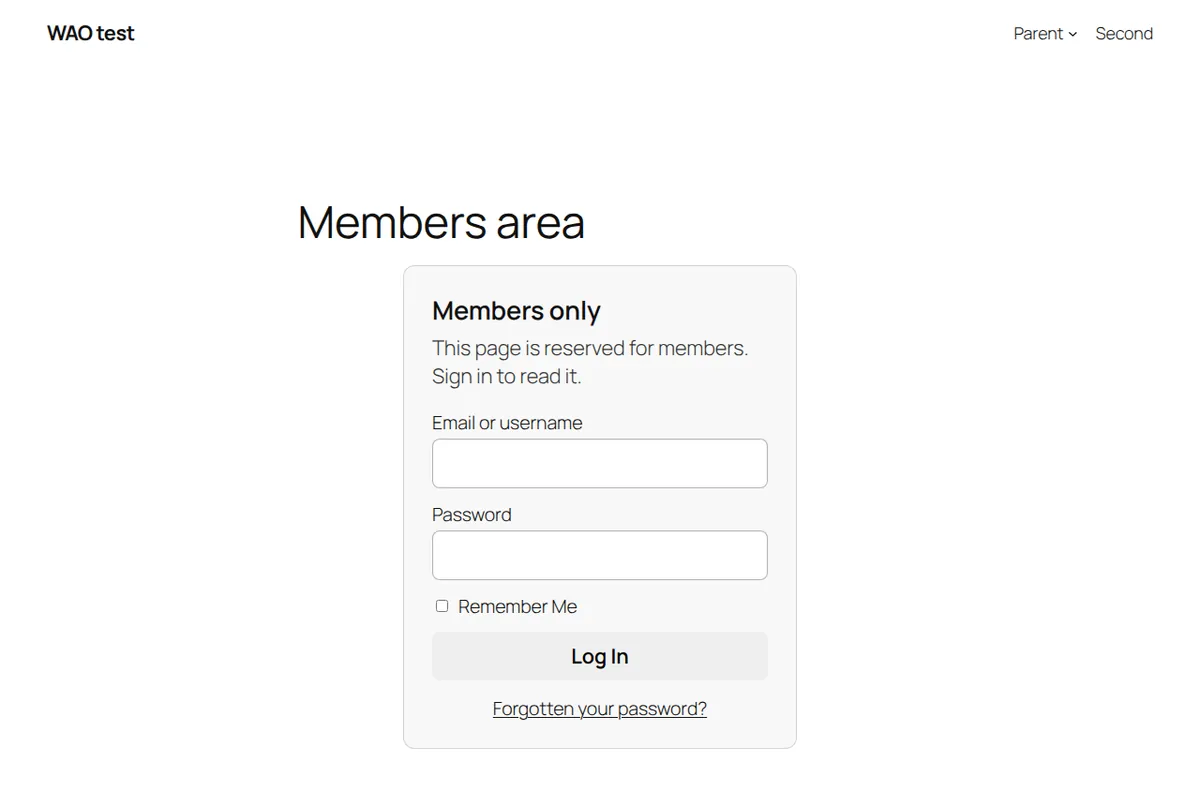
This page is for club members. Sign in to read it.
What it does
Everything you need. Nothing that slows you down.
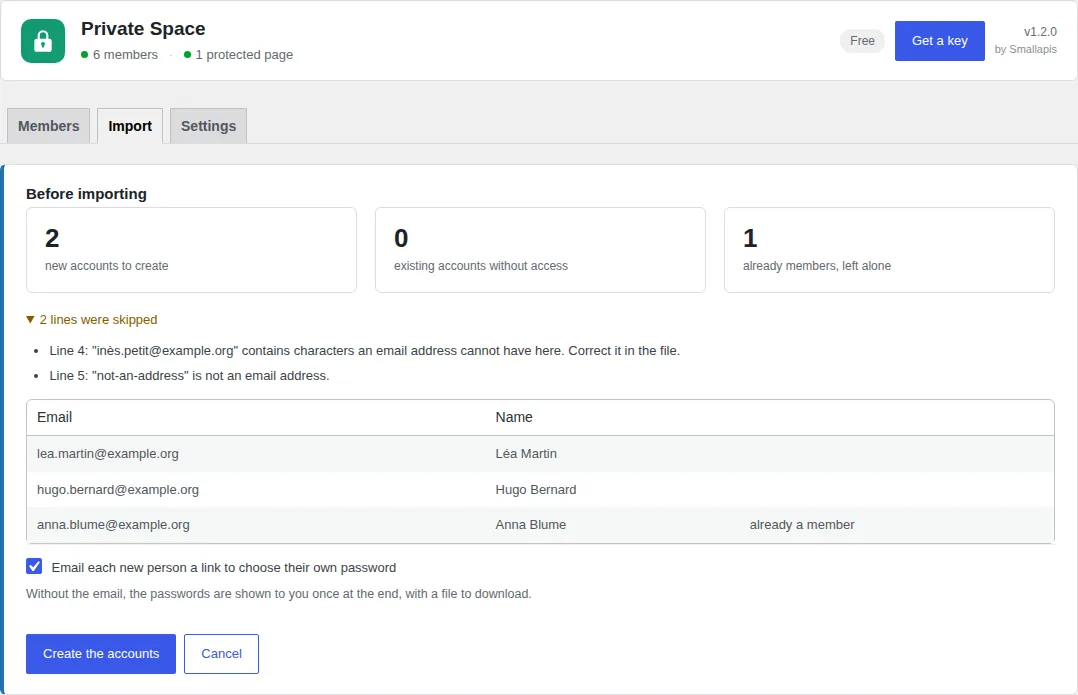
Free and with a key
Free, for good. A key when you need more.
Free, no account
Every feature, with a limit on quantity only.
- 25 members
- Members-only pages and posts, sub-pages included
- Partial-content shortcodes and your own sign-in page
- CSV import with preview, CSV export
With a key
$29 a year or $99 once, for the four plugins on one site.
- As many members as you need
- The same key unlocks the three other plugins on the site
Download
private-space.zipPrivate Space 1.3.0 · 38 kB · GPLv2One zip, no account, no key: upload it in Plugins → Add New Plugin → Upload Plugin and it works at once.
Install
- Install and activate. A Member role is created.
- Open Private Space and add people, or import your list.
- Edit any page and tick Members only in the sidebar.
Questions
About Private Space.
The documentation covers caches, nginx, WP-CLI and the problems people actually run into.
Can search engines see a members-only page?
No. The page asks search engines not to index it, leaves the XML sitemap, search results and feeds, and its content is never in the HTML sent to someone who is not signed in.
What about the REST API and RSS feeds?
Both get the same refusal as the page: the REST API returns a short "reserved for members" text instead of the content and excerpt, for every post type, and feeds leave the page out.
What CSV format does the import expect?
One line per person, with a header line. Only the email column is required; first name and last name are optional. Commas, semicolons or tabs all work, and the column names can be in English or French (email / courriel, first name / prénom, last name / nom). A file exported from Excel, in its Windows encoding, keeps its accents.
Can I restrict only part of a page?
Yes, with [private_space]...[/private_space]. Everything outside the shortcode stays public. The page is then kept out of shared caches, so a member's view is never served to someone else.
Can members see the dashboard?
The Member role has read and one custom capability: no writing, no settings, no access to other people's details. By default members do not see the WordPress toolbar, and after signing in they land on your site, on a page you can choose, rather than on their profile.
What happens to my pages if I deactivate the plugin?
They become public again immediately, so deactivating is not a safe way to pause a private area. The role and the accounts stay in place, so reactivating restores everything. Deleting the plugin removes its settings and the role but never deletes an account.
Can I use an existing role instead?
Any user with the read_private_space capability passes the gate. Administrators and editors get it automatically. If you manage roles with another plugin, granting that one capability is enough.
Does it work with a caching plugin?
Yes. Private pages send no-cache headers and tell page caches not to store them.
Does it work on a multisite network?
Yes, site by site. The role is created on each site the first time its dashboard is opened.
How much does it cost?
It is free, for good, with no account. A key at $29 a year or $99 once lifts the limits of the four plugins on one site. See pricing.
Changelog
What’s new.
1.3.0
- New:
[private_space]restricts part of a page to members,[private_space_guests]shows something to everyone else. - New:
[private_space_login]and a sign-in page setting: visitors are sent to your own page, then back to where they were going. - New: export the members list as a CSV that the import reads back as is.
- Changed: pages using the shortcodes are kept out of shared caches, like private pages.
- Changed: clearer directory description, and answers on search engines, the REST API, feeds and the CSV format.
1.2.0
- New: a Get a key button in the plugin header. After paying, one click activates the key on the site it was bought from, no copy and paste.
- New: once the plugin has done its job, a short request for a review, on its own screens only, which can be put off or turned off.
1.1.1
- Changed: the Smallapis service moved to its own domain, smallapis.com.
Earlier versions
1.1.0
- New: protect a page's sub-pages with one tick.
- New: give existing accounts access, remove access, send a password link, search and page through members.
- New: the import runs in batches with a progress bar and can carry on after an interruption.
- New: choose where members land after signing in; the toolbar is hidden from members.
- New: "Members only" label in the page lists.
- Fixed: a large import could hit the PHP time limit and lose the passwords of accounts it had already created.
- Fixed: comments on private pages were visible to everyone, including in comment feeds.
- Fixed: private pages were listed in the XML sitemap.
- Fixed: the REST API only protected pages and posts, not custom post types.
- Fixed: the member's view of a page could be stored by a shared cache; both views now bypass it.
- Fixed: a signed-in visitor without access was shown the sign-in form again.
- Fixed: spreadsheets saved by Excel in Windows encoding lost their accents and French headings.
- Fixed: names starting with = + - or @ could run as formulas when the CSV was opened.
- Fixed: the sign-in form could be reformatted by the theme's paragraph filter.
- Changed: private pages are excluded by id, which is much cheaper than the previous meta query.
- Changed: generated passwords held for download are encrypted.
1.0.0
- First release.