WebP & AVIF Offload
Lighter images in WebP and AVIF, including the AVIF your host cannot make.
- Version 1.5.0
- WordPress 6.0+
- PHP 7.4+
- Tested up to 7.1
- GPLv2 or later
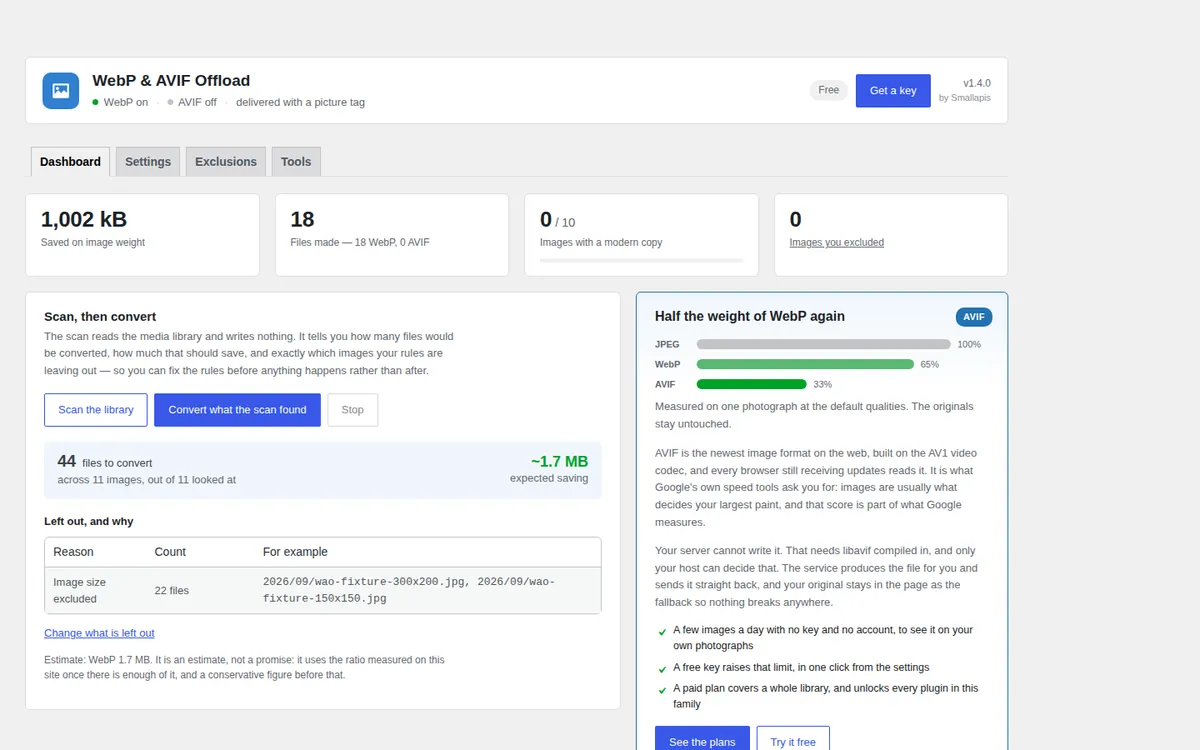
Try it here
WebP, unlimited and free.
Images are the heaviest thing on most pages. The plugin makes a WebP and an AVIF copy of each one and serves whichever the browser prefers, without ever touching the original. Install it, answer two questions, press one button.
- Unlimited WebP made on your server
- AVIF to try with no key and no account
- Originals never touched

What it does
Everything you need. Nothing that slows you down.
Free and with a key
Free, for good. A key when you need more.
Free, no account
Every feature, with a limit on quantity only.
- Unlimited WebP, converted on your own server
- AVIF on your own server when it can make it
- A few AVIF conversions a day through the service, with no key and no account
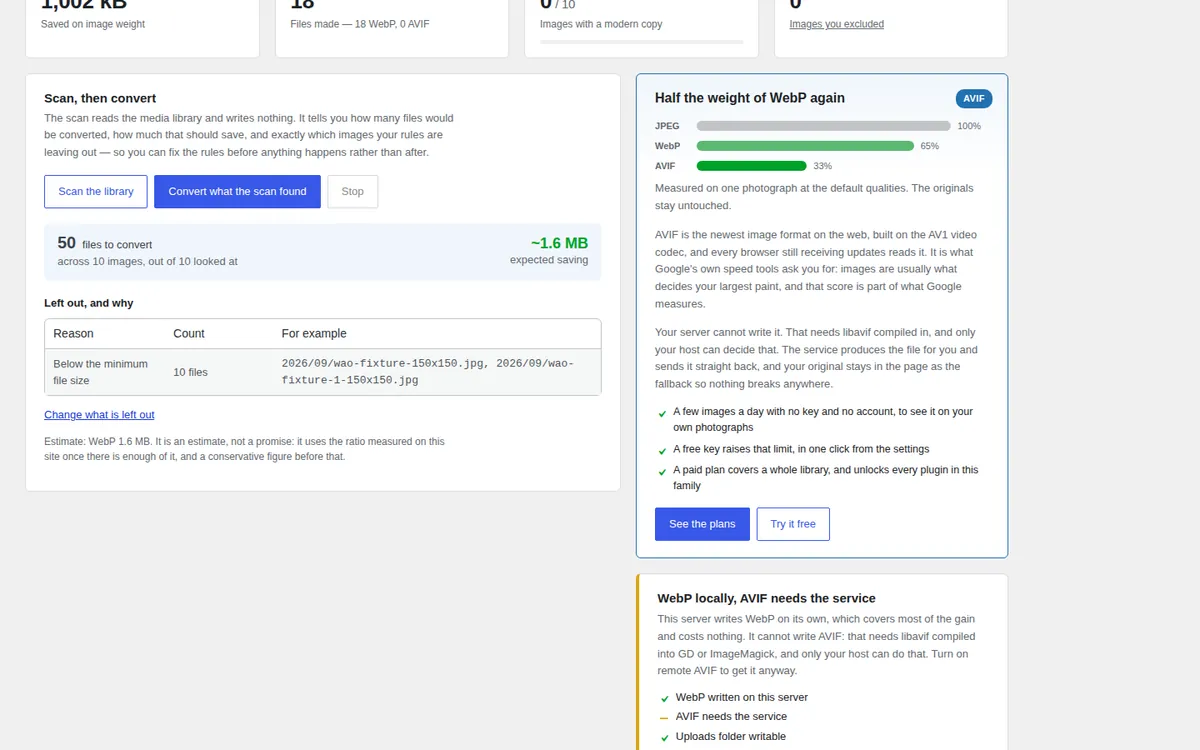
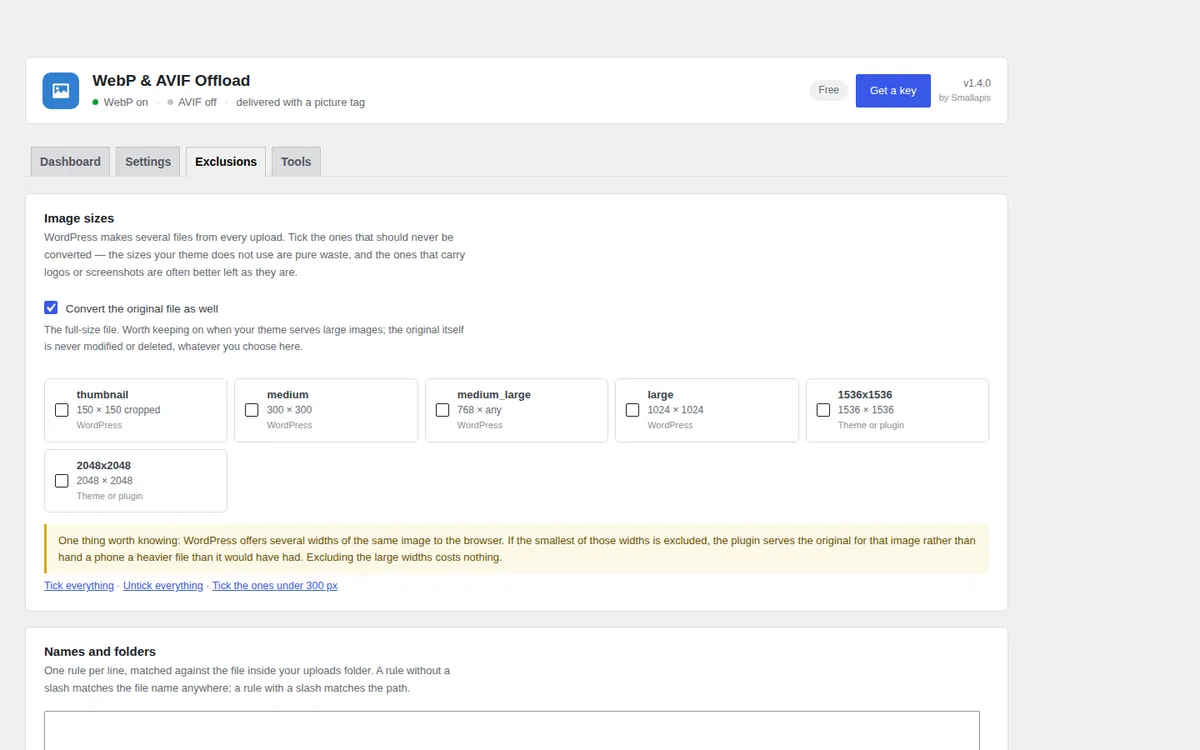
- Dry-run scan, exclusions, delivery check, media library column and bulk actions
- Picture tag or web server rules (.htaccess written for you, nginx snippet provided)
- WP-CLI commands and Site Health report
With a key
$29 a year or $99 once, for the four plugins on one site.
- AVIF made for you by the conversion service, 10,000 images a month
- The same key unlocks the three other plugins on the site
Download
webp-avif-offload.zipWebP & AVIF Offload 1.5.0 · 88 kB · GPLv2One zip, no account, no key: upload it in Plugins → Add New Plugin → Upload Plugin and it works at once.
Install
- Install and activate.
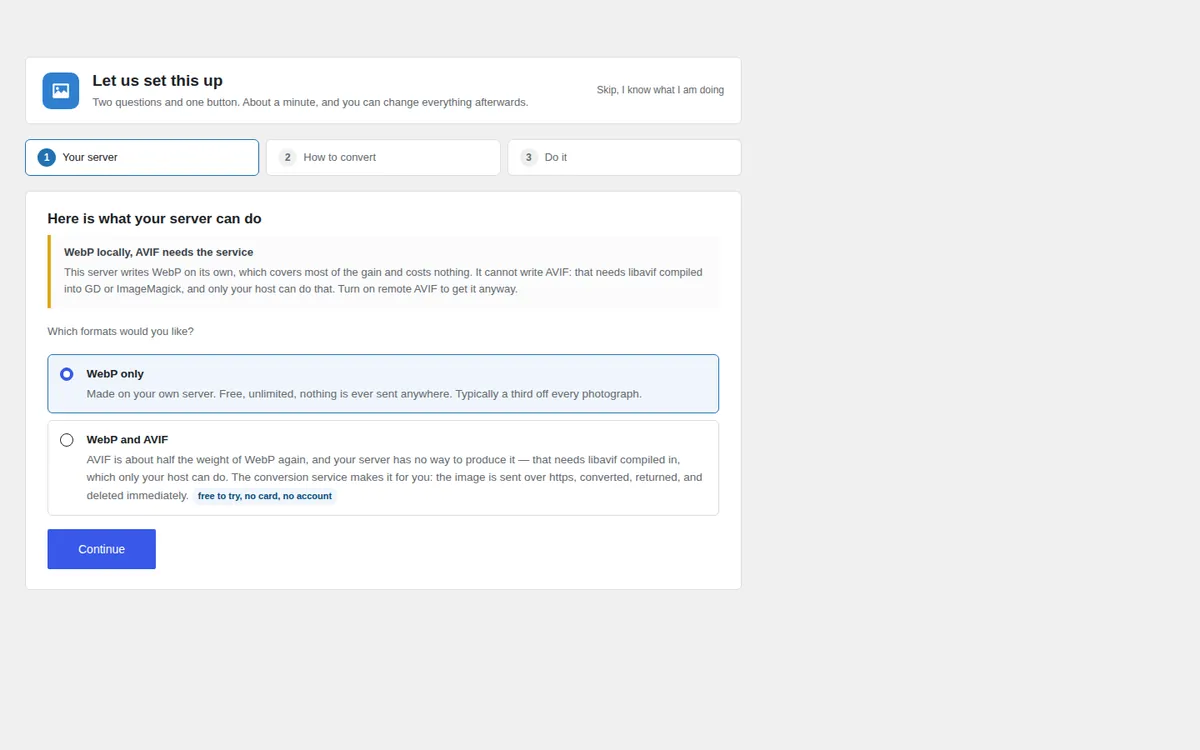
- The setup opens on its own: what your server can do, how hard to squeeze, then the button that converts the images you already have.
- Done. New uploads are converted from then on — WebP immediately, AVIF in the background so an upload never waits on a network call.
The setup can be skipped, and everything it sets can be changed afterwards.
Questions
About WebP & AVIF Offload.
The documentation covers caches, nginx, WP-CLI and the problems people actually run into.
Will this break my images?
The original file is never touched. With the picture tag method your original <img> stays in the page as the final fallback, so a browser that understands neither format gets exactly what it got before.
How do I know it is actually working?
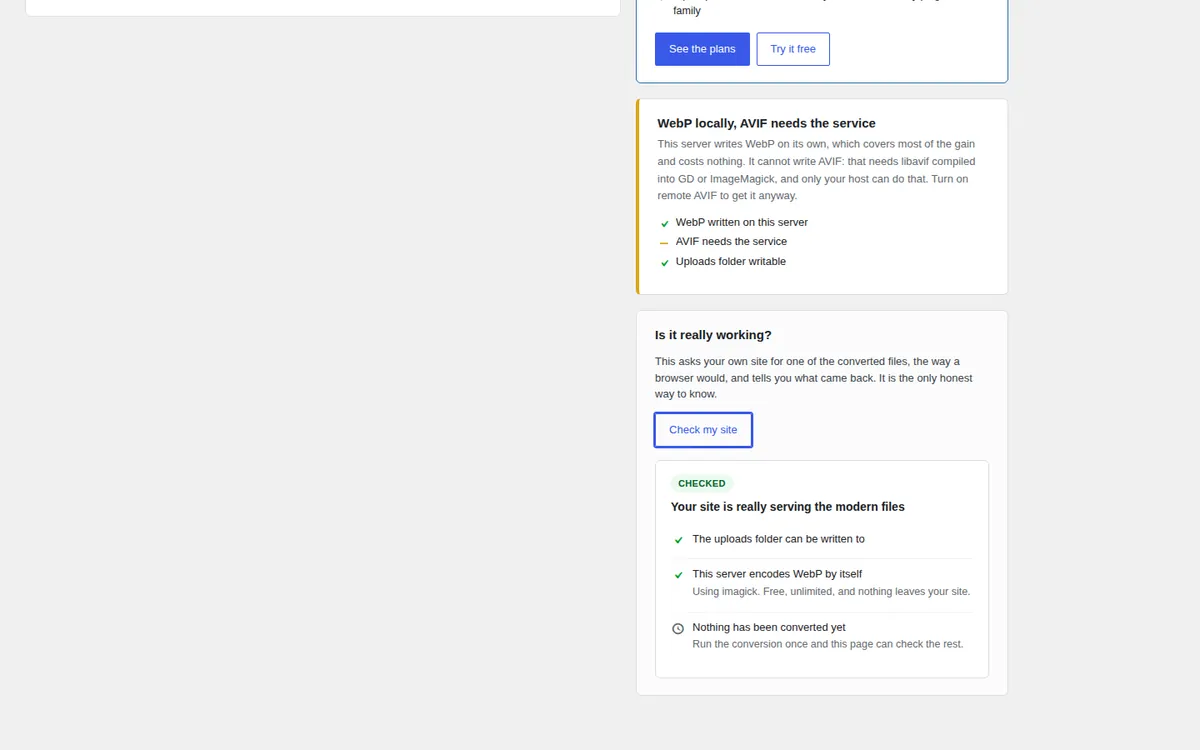
Press Check my site on the dashboard. It downloads one of the converted files from your own site, the way a browser would, and reports what came back: whether the file arrives, whether your server labels it image/webp rather than something generic, and whether your pages really offer the modern format. It catches the failures that look like success — a host that refuses unknown extensions, .htaccess rules silently ignored, a cache dropping the Vary header.
Why is the AVIF quality number so much lower than the WebP one?
Because the scales are not the same. AVIF at 45 looks like WebP at 72, and that is where AVIF is worth having: roughly half the weight. Setting both to the same number is a common mistake and makes AVIF look pointless — above quality 60 it often produces a bigger file than WebP, which this plugin then throws away rather than serve.
Does it need an account?
Not for WebP, which is the bulk of the gain: that runs on your server and nothing leaves the site. The AVIF service works for a few images a day with no key at all, so you can see the result on your own photographs before deciding anything.
Nothing seems to change on my pages. How do I check?
Open the dashboard and press Check my site. It names the step that fails: no converted file yet, a file the server does not deliver, a wrong content type, or server rules that are ignored. With the picture tag method, look at the page source: each image should sit inside a <picture> element. A page cache keeps serving the old HTML until it is cleared, so clear it once after the first conversion.
Can I undo the conversion of one image?
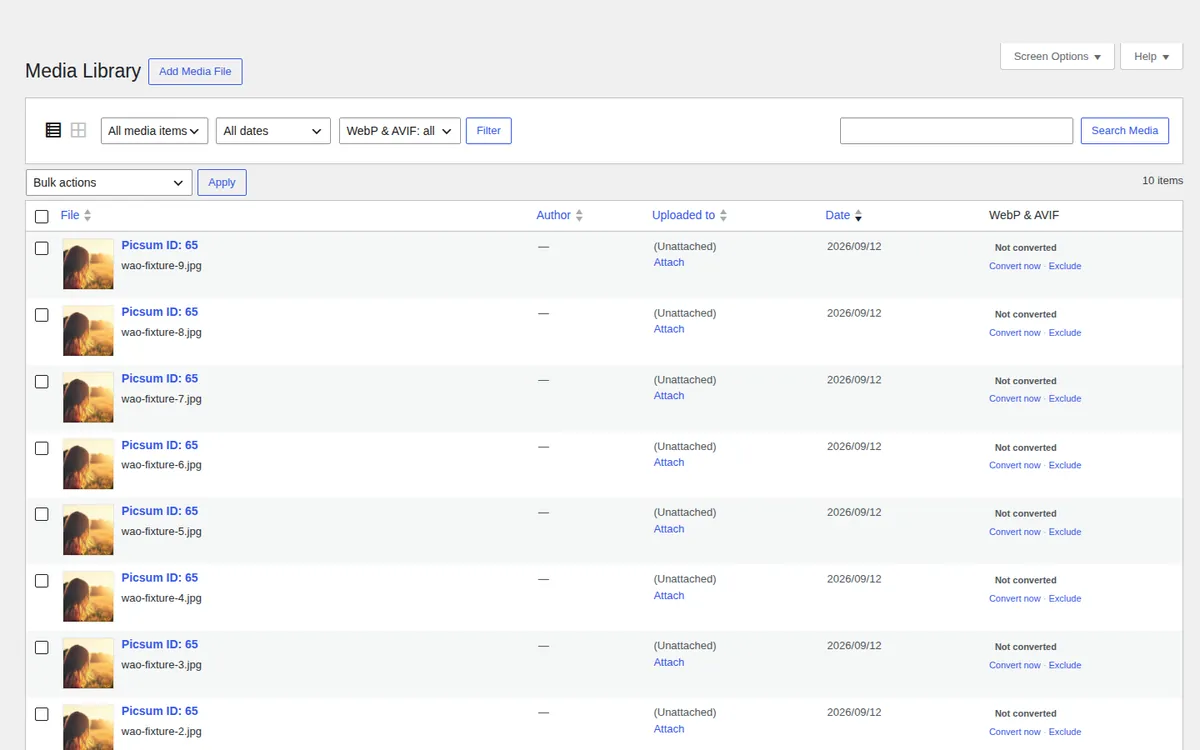
Yes. In the media library, the WebP & AVIF column has an Undo link on every converted image: it deletes the copies of that image and nothing else. Exclude makes sure it is never converted again.
I use nginx. What do I do?
Keep the picture tag method, which needs nothing from the server. If you want server rules instead, the Settings screen gives you the exact nginx snippet to paste, and Check my site tells you whether it is active.
Is there a command line?
Yes, see the WP-CLI page in the docs: wp webp-avif convert converts a whole library without a browser open, which is the comfortable way past ten thousand images.
Does it work with a CDN?
With the picture tag method, yes: the URLs are ordinary files. With server rules, your CDN must vary on the Accept header, which the rules declare.
What happens to animated GIFs?
They are left alone. Converting one to a single-frame WebP loses the animation without telling anyone.
Can I keep the converted files if I remove the plugin?
Yes, there is a switch for it in Tools. By default they are deleted on uninstall, because leaving thousands of orphaned files on someone's hosting is not a polite way to be removed.
How much does it cost?
It is free, for good, with no account. A key at $29 a year or $99 once lifts the limits of the four plugins on one site. See pricing.
Changelog
What’s new.
1.5.0
- New: WP-CLI commands:
wp webp-avif status,scan,convert,checkandremove. - New: an Undo link on every converted image in the media library column, which deletes that image's copies only.
- Changed: clearer directory description and answers on nginx, undoing and checking the delivery.
1.4.0
- New: a Get a key button in the plugin header. After paying, one click activates the key on the site it was bought from, no copy and paste.
- New: once the plugin has done its job, a short request for a review, on its own screens only, which can be put off or turned off.
1.3.2
- Changed: the Smallapis service moved to its own domain, smallapis.com.
Earlier versions
1.3.1
- New: a key entered in another Smallapis plugin on the same site is used here too.
1.3.0
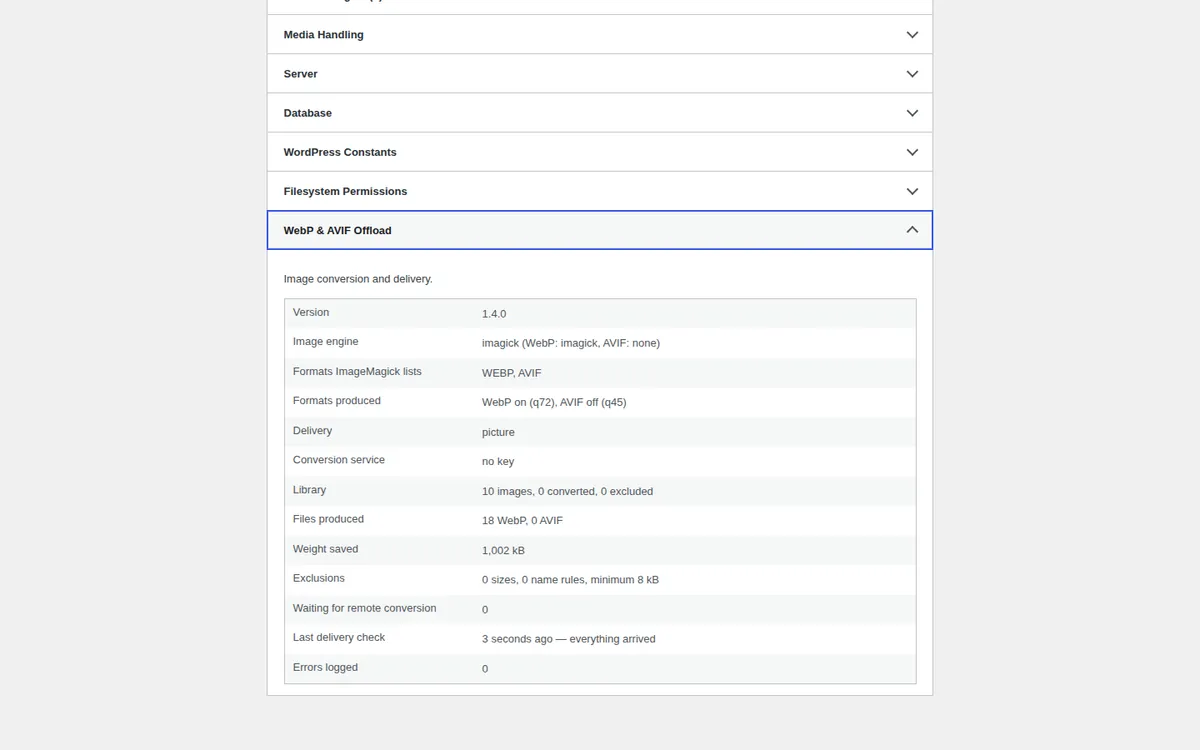
- New: appears in Tools → Site Health, as a status check and a full Info section.
- New: companion lookups are memoised per request and cached in the object cache when one is available. A page of 21 images now costs 0.34 ms.
- New: benchmark script, so the performance claims above can be re-measured.
- Changed: the conversion service explains its own refusals instead of a generic message.
1.2.0
- New: three-step setup that opens on first activation — server check, one quality choice, and the first conversion, with sensible defaults throughout.
- New: end-to-end check that downloads a converted file from your own site and reports whether the delivery really works, including the content type.
- New: first-run state on the dashboard instead of a screen full of zeros.
- Fixed: ImageMagick reports formats it can only read. Each format is now proven by encoding a test image, per engine, so the plugin cannot claim local AVIF support it does not have and then silently produce nothing.
- Fixed: excluding one image size no longer costs the whole image its modern delivery. The smallest width is the one that must stay.
- Fixed: deleting every converted copy now also sweeps files whose record was lost, and resets the savings figures with them.
- Changed: without a key the conversion service still converts a few images a day, and a refusal pauses further calls instead of repeating them.
1.1.0
- New: dry-run scanner that reports what would be converted and why anything is skipped.
- New: exclusions by image size, name pattern, folder, file size, dimensions and file type.
- New: per-image exclusion, media library column, bulk actions and filter.
- New: server-level delivery through .htaccess rules, with an nginx snippet.
- New: dashboard with real savings figures, failure log and system report.
- New: animated GIFs are detected and left alone.
- Changed: a file that does not compress is remembered and not retried on every run.
- Changed: admin rebuilt as four screens instead of one long settings page.
1.0.0
- First release.