Simple Popups
Popups that load nothing on pages without one. Exit intent and scheduling included, free.
- Version 1.3.0
- WordPress 6.0+
- PHP 7.4+
- Tested up to 7.1
- GPLv2 or later
Try it here
Every trigger is free.
Most popup plugins load their whole runtime on every page and then work out that there is nothing to show. This one decides first, in PHP, and loads nothing at all on the pages that do not need it. Where there is a popup, it is about five kilobytes with no jQuery.
- Exit intent, scroll and dates: free
- Nothing loaded where there is no popup
- No cookie, no tracking
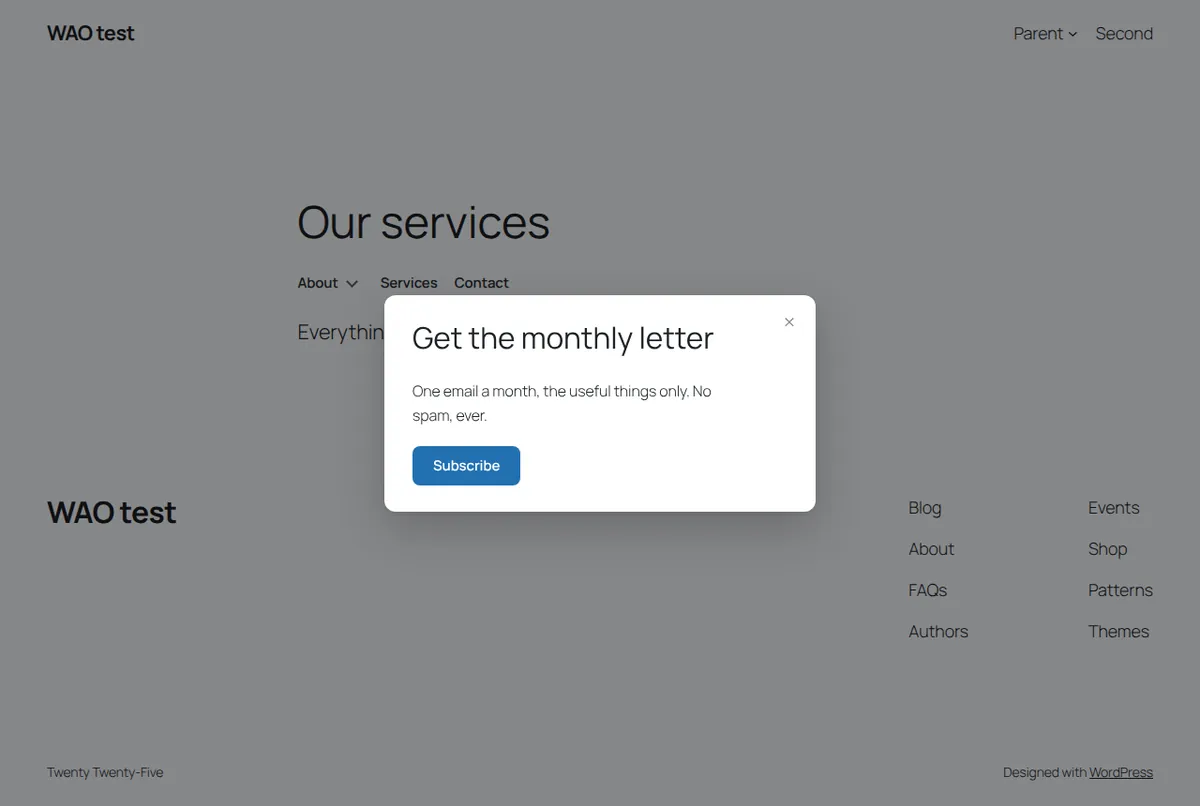
Get the monthly letter
One email a month, the useful things only.
Discount code10% off your first order
Use this code at checkout. Valid until Sunday.
Leaving already?
Your basket is saved for seven days. Come back any time.
What it does
Everything you need. Nothing that slows you down.
Free and with a key
Free, for good. A key when you need more.
Free, no account
Every feature, with a limit on quantity only.
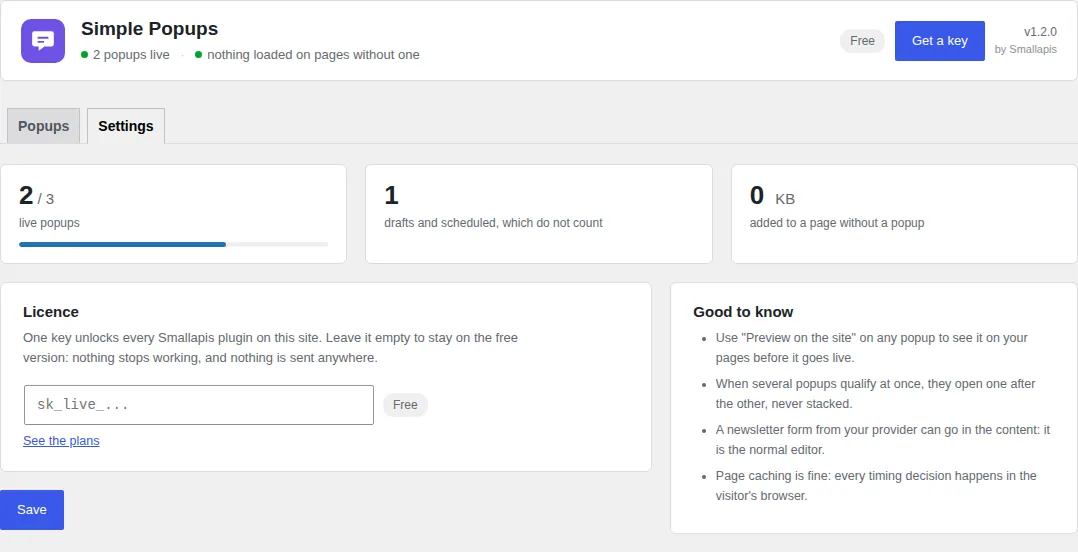
- 3 live popups (drafts and scheduled popups do not count)
- All triggers: delay, scroll, exit intent, inactivity, click
- All targeting rules, the four templates, start and end dates
- Frequency control and “never show again” after a click
With a key
$29 a year or $99 once, for the four plugins on one site.
- As many live popups as you need
- The same key unlocks the three other plugins on the site
Download
simple-popups.zipSimple Popups 1.3.0 · 34 kB · GPLv2One zip, no account, no key: upload it in Plugins → Add New Plugin → Upload Plugin and it works at once.
Install
- Install and activate.
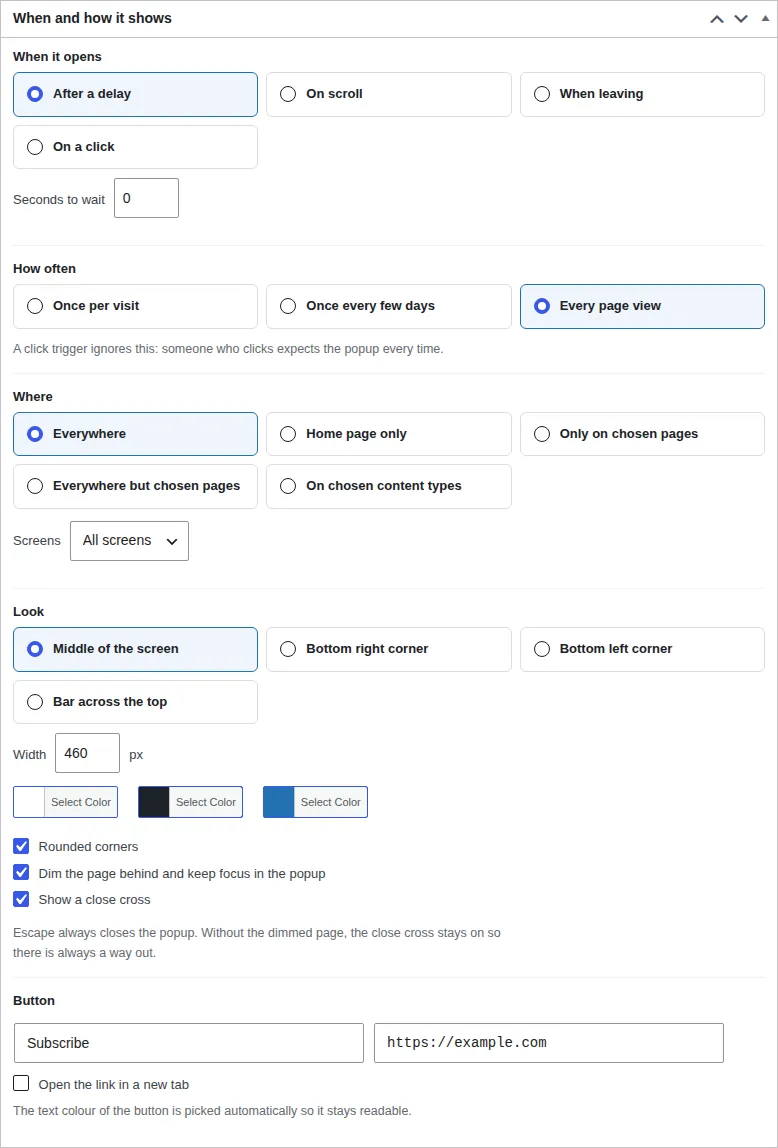
- A Popups menu appears. Add one.
- Write the content, choose when it opens, save a draft, press Preview on the site, then publish.
Questions
About Simple Popups.
The documentation covers caches, nginx, WP-CLI and the problems people actually run into.
Does it slow my site down?
On a page with no popup, nothing is loaded and no query runs. On a page with one, about five kilobytes, loaded with defer.
Why did my fourth popup save as a draft?
Three live popups is the free limit. The content is kept as a draft rather than refused. Unpublish one of the others, or use a key.
Can I open a popup from a menu item or a button?
Yes. Choose "On a click" and type a CSS selector such as .join-us, after giving your button or menu item that class. A link to #newsletter works too, with the selector a[href="#newsletter"].
Who can create popups?
People who can change the site's appearance, administrators by default. A popup appears on every page, so authors and contributors cannot publish one.
Why does my popup not open?
Check, in this order: it is published (drafts never show); the page matches Where; your screen matches Screens and Who; today is inside its dates. Then remember the frequency: once you have seen it, it waits for the next visit or the next period. Preview on the site ignores all of that and opens it at once, which tells you whether the content itself is fine.
How do I stop it from coming back?
Choose Once per visit or Once every few days, and tick Never show it again to a visitor who clicked its button or sent its form. That choice is remembered in the visitor's browser.
Does it set cookies or track visitors?
No cookie and no tracking. To respect the frequency, the browser remembers that a popup was shown, in its own local storage, and nothing leaves the visitor's device. Nothing is sent to us or to anyone else.
Does it work with caching plugins?
Yes. The popup is in the page, and every timing decision happens in the visitor's browser, so a cached page behaves exactly like an uncached one. Two settings depend on the page itself: Who (most caches do not store pages for signed-in users, so this works as expected) and the start date: a page cached before that date shows the popup once the cache is refreshed. The end date is also checked in the browser, so a cached page never shows a popup past its end.
How much does it cost?
It is free, for good, with no account. A key at $29 a year or $99 once lifts the limits of the four plugins on one site. See pricing.
Changelog
What’s new.
1.3.0
- New: four templates (newsletter, discount code, announcement bar, before you go), offered on a new popup and on an empty list.
- New: "when the visitor stops" trigger, after a number of seconds without moving, scrolling or typing.
- New: show a popup to everyone, only to visitors who are not signed in, or only to signed-in users.
- New: start and end dates. The end date is also checked in the browser, so a cached page never shows an expired popup.
- New: never show a popup again to a visitor who clicked its button or sent its form.
- Changed: clearer directory description and answers on cookies, frequency and popups that do not open.
1.2.0
- New: a Get a key button in the plugin header. After paying, one click activates the key on the site it was bought from, no copy and paste.
- New: once the plugin has done its job, a short request for a review, on its own screens only, which can be put off or turned off.
1.1.1
- Changed: the Smallapis service moved to its own domain, smallapis.com.
Earlier versions
1.1.0
- New: preview any popup on your site before publishing it, visible to you only.
- New: "everywhere but chosen pages", a page picker, and desktop-only or mobile-only popups.
- New: popups are native
<dialog>elements: focus is kept inside, Escape closes, focus returns. - New: several popups that qualify at once open one after the other instead of stacking.
- New: the button text colour follows the button colour, so it always reads.
- Changed: the front end reads one stored list instead of querying the database on every page.
- Changed: only people who can edit the site's appearance can create popups.
- Fixed: popup content no longer runs the page's content filters, which could let other plugins act on it or replace it.
- Fixed: embedded forms were stripped from the popup content.
- Fixed: "only these pages" could match a category whose number equalled a page's.
- Fixed: "home page only" also matched the blog page.
- Fixed: a key check could slow down a visitor's page; it now happens in the background.
- Fixed: an invalid click selector stopped every popup on the page.
- Fixed: a scheduled popup could go live past the free limit.
- Fixed: with a key, popups beyond twenty were silently dropped.
1.0.0
- First release.